
Learn Features of Microsoft Wo2.15 - Google Play
You'll be able to see results in few seconds.
Publisher Description
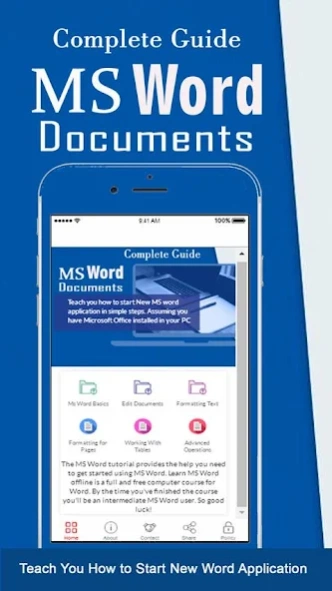

The Application provides the help you need to get started using MS Word
Learn MS Word offline is a full and free computer course for MS office . By the time you've finished the course you'll be an intermediate MS WORD document user.
Microsoft Office Word allows you to create and edit personal and business documents, such as letters, reports, invoices, emails and books. This app designed for for Beginners to Experts. This app doesn't need internet to work and it lets you learn not only by written material but our app has a great deal of pictures to make sure you understand everything.
MS Word is popular word-processing program By default, documents saved in Word are saved with the .docx extension. Microsoft Word can be used for the following purposes:
=> To create business documents having various graphics including pictures, charts, and diagrams.
=> To store and reuse ready-made content and formatted elements such as cover pages and sidebars.
=> To create letters and letterheads for personal and business purpose.
=> To design different documents such as resumes or invitation cards etc.
=> To create a range of correspondence from a simple office memo to legal copies and reference documents.
The Application able to Learn MS Word Document and use in your daily life :
=> Ms Word Basics
- Getting Started Word
- Backstage View in Word
- Entering Text - Microsoft Word
- Context Help in Word
- and more again you can get it.
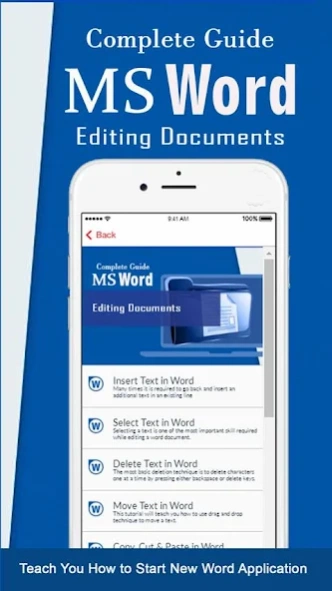
=> Editing Documents
- Insert, Select, Delete, Move Text in Word
- Find & Replace Document
- Spell Check, Zoom in-out
- Special Symbol, undo changes
- and get more again.
=> Formatting Text
- Setting Text fonts, text decoration, Change Text case and color
- Text Alignment, indent paragraphs
- Create bullets, Set line Spacing
- Borders and Shades
- and any formatting you can it here
=> Formatting Pages
- Header and Footer
- Insert Page Breaks and Blank Page
- Create Cover Pages
- and more again
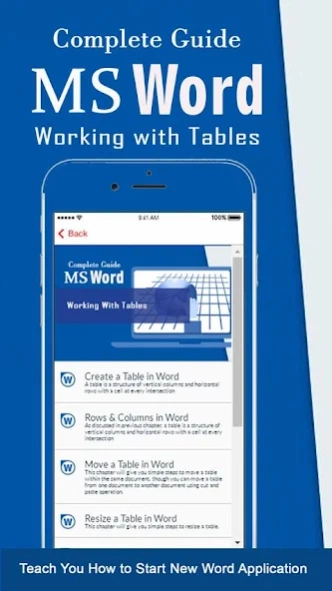
=> Working with Tables
- Create, Move, Resize Table
- Editing Row & Columns
- Borders & Shades
- Margin & Split Cells
- Add Formula
- and more again
=> Advanced Operations
- Use Templates and Graphics
- Auto Correction & Formatting
- Preview & Printing Documents
- Translate Documents
- Set Watermark
- Quick Styles
- and you will find much again on this application now.
Disclaimer:**Legal Notices:
This is NOT an official but a fan made app. All the logos, trademarks and sources are the properties of their respective owners. We do not endorse in hosting or supporting the channel. If there is any issue, kindly send us an email with full details.
There is no copyright infringement intended, If you are the copyright holder of the images or content on this application and do not want your image displayed, please contact us via email developer and tell us about the status of your ownership over it. We will remove the image. Privacy Policy of the application : http://hasyimdeveloper.blogspot.com
About Learn Features of Microsoft Wo
The company that develops Learn Features of Microsoft Wo is Hasyim Developer. The latest version released by its developer is 2.15.
To install Learn Features of Microsoft Wo on your Android device, just click the green Continue To App button above to start the installation process. The app is listed on our website since 2018-03-21 and was downloaded 0 times. We have already checked if the download link is safe, however for your own protection we recommend that you scan the downloaded app with your antivirus. Your antivirus may detect the Learn Features of Microsoft Wo as malware if the download link to gudev.learn.featuresofmsworddocument is broken.
How to install Learn Features of Microsoft Wo on your Android device:
- Click on the Continue To App button on our website. This will redirect you to Google Play.
- Once the Learn Features of Microsoft Wo is shown in the Google Play listing of your Android device, you can start its download and installation. Tap on the Install button located below the search bar and to the right of the app icon.
- A pop-up window with the permissions required by Learn Features of Microsoft Wo will be shown. Click on Accept to continue the process.
- Learn Features of Microsoft Wo will be downloaded onto your device, displaying a progress. Once the download completes, the installation will start and you'll get a notification after the installation is finished.
Program Details
System requirements
Download information
Pricing
Version History
version 2.15
posted on 2018-03-21
Fix the crash bug and add new menu
Disclaimer
Official Google Play Link
We do not host Learn Features of Microsoft Wo on our servers. We did not scan it for viruses, adware, spyware or other type of malware. This app is hosted by Google and passed their terms and conditions to be listed there. We recommend caution when installing it.
The Google Play link for Learn Features of Microsoft Wo is provided to you by apps112.com without any warranties, representations or guarantees of any kind, so access it at your own risk.
If you have questions regarding this particular app contact the publisher directly. For questions about the functionalities of apps112.com contact us.
